The most useful new feature improves the ease of transferring your chat history cross-platform from iOS to Android. You can't save your call history, display name, or media you've received over channels, but you can save your account info, profile photo, individual and group chats, communities chat history, and settings.
As has been the case for several years, Google revealed the conference's dates for 2026 after enough folks completed a puzzle on the I/O website. This year's puzzle has multiple "builds" to play through, all of which use Gemini. They start with a mini-golf game in which a virtual caddy that's powered by Gemini offers some of the most anodyne advice imaginable.
Bash scripts are a great way to automate all sorts of repetitive tasks -- you can run backups, clear temporary files/logs, rename or batch-rename files, install or update software, and much more. Although writing such scripts isn't nearly as hard as you might think, it does take some time to learn the ins and outs of bash scripting. Also: 6 hidden Android features that are seriously useful (and how they made my life easier) Good news: If you have an Android device, you can enable the Linux terminal, which means you can create or practice your bash scripting on the go.
You may not give this feature a second thought, but allow me to set a scene for you. Say you're having visitors for the holidays and want to grant them access to your Wi-Fi network. Instead of making the password public (so anyone can use it), you could share the Wi-Fi credentials via QR code. Not only does this approach simplify adding another device to the network, but it also does so with a nod to security.
All you've gotta do is tap on any open space in that part of the Android Calendar app, and you'll see an event creation box right then and there: Also worth noting: The same tricks we went over a second ago for sliding around or extending your event's time will work in this context, too, once you've brought that box into focus.
"Phone theft is more than just losing a device; it's a form of financial fraud that can leave you suddenly vulnerable to personal data and financial theft. That's why we're committed to providing multi-layered defenses that help protect you before, during, and after a theft attempt," said Google in the announcement. Your phone now fights back when stolen The most impressive upgrade targets the moment of theft itself. Android 's enhanced Failed Authentication Lock now includes stronger penalties for wrong password attempts, extending lockout periods to frustrate thieves trying to crack your device.
Epic sued Google over five years ago in August 2020, and in December 2023 a jury unanimously handed it the win. An appeals court upheld that verdict, and the US Supreme Court didn't step in to save Google from the immediate consequences. Judge Donato ordered Google to crack open Android in the United States, forcing Google to eventually host rival app stores inside its own store, among many other punishments.
On those rare occasions when I use AI, I always opt for a local version. Most often, that comes in the form of Ollama installed on a desktop or laptop. I've been leery of using cloud-based AI for some time now for several reasons: It consumes vast amounts of energy. There's no way to be certain it honors privacy claims. I don't want any of my queries or data to be used for training LLMs.
Lately, I've tried more overhyped, overly ambitious apps than I can even remember - all of 'em with lofty promises of completely changing my life and/or the way I get stuff done. Spoiler alert: None of those has lived up to that promise or really even stuck as something I'm still actively using in any significant way, as of this current moment.
Sometimes, you stumble onto a digital discovery of some sort and need a touch of time to wrap your head around if or how it could help you. Other times, you slap something new onto your favorite phone and instantly realize your life has been upgraded. Today, my friend and fellow holiday-hibernation waker, we've got a treasure of the latter variety to feast on for the start of 2026.
When was the last time you opened your contact app? Do you even bother with it? If you use email, chances are you also use your contact app -- perhaps without realizing it. However, not all contact apps are created equal. Some contact apps are very basic, while others are overly complicated. And then there's the sweet spot -- those apps with just the right number of features wrapped up in a well-designed GUI. Are you ready for this? Let's get connected.
As an avid book lover, I'm a sucker for a great e-reader. Yet many of these devices are way too limited to really become a companion device. This is why I loved the TCL Nxtpaper tablet so much; however, the new DuRobo Krono is here to address that tablet's single downfall: it's a pocket e-reader and productivity device that is finally available for preorder.
Tomb Raider, Crystal Dynamics' Lara Craft reboot that released on PC and consoles in 2013, is coming to mobile devices next year. The action-adventure game, which serves as the first entry in Crystal Dynamics' reboot trilogy of Tomb Raider titles, will launch on iOS and Android on February 12, 2026. The mobile port is developed by Feral Interactive, which also brought Lara Croft and the Guardian of Light to iOS earlier this year.
Now it will be easier for Android users to watch Apple TV content on their TV with the addition of Google Cast support. However, even after this update, Google Cast is only an option on the Android version of Apple TV, not the iOS version. Likewise, the Android version still doesn't support AirPlay. The addition of Google Cast adds a core feature that's been missing from the Android version of Apple's streaming app since it launched earlier this year.
Starting today, Android users can share live video with 911 telecommunicators, who can then better assess a situation, offer help, or give step-by-step guidance. If you're calling about a tree that's fallen across a road, for example, you can show exactly where the tree is. Or, 911 workers might be able to walk someone through CPR until emergency services arrive.
Little did I know that Google would use the Android Virtualization Framework (AVF) to run a local virtual machine powered by Debian to give users access to a lot of powerful commands, even a package manager, and I am 100% on board with the addition. Also: 6 hidden Android features that are seriously useful (and how they made my life easier) With the Linux terminal on Android, you can do so much more (assuming you are comfortable with the Linux command line).
Google has announced a new feature called Android Emergency Live Video, and it's pretty much what you'd assume it would be based on the name - the ability to share live video with emergency services. And it works "in a single tap" too, because in an emergency every second counts.
Google launched Android Emergency Live Video on Wednesday, which allows people to stream video when contacting emergency responders. This feature could help give first responders extra context in circumstances like car accidents, fires, or medical crises. There's no setup required to use this feature. Instead, during an emergency call or text, a dispatcher can send a request to your device. Then, you can opt into sharing your camera's live video, which is encrypted and can be stopped at your discretion.
I've been using Android since version 1.5, so it's not often that a feature catches me off guard. You can imagine that when I do come across an unfamiliar Android feature, it's an exciting moment. For more casual (or newer) users of Google's mobile operating system, there are probably several hidden gems waiting to be discovered in Android, and some of these can be handy.
Next is the ability to attach files in the new search bar for AI to translate, summarize, or explain. This includes support for PDFs and images. To attach a file, open the Ask AI interface, tap the "+" icon, and select a document or photo from your Android device. You can also click a picture with the device's camera and upload it directly.
Google is adding more AI features to Google Discover, specifically pushing people from articles in Google Discover into Google AI Mode. When you click on an article from Google Discover and then click on the three dots at the top right of the screen, you are given three options to go into AI Mode. The options include: Summarize with Al Mode Ask a follow up with Al Mode Dive deeper with Al Mode
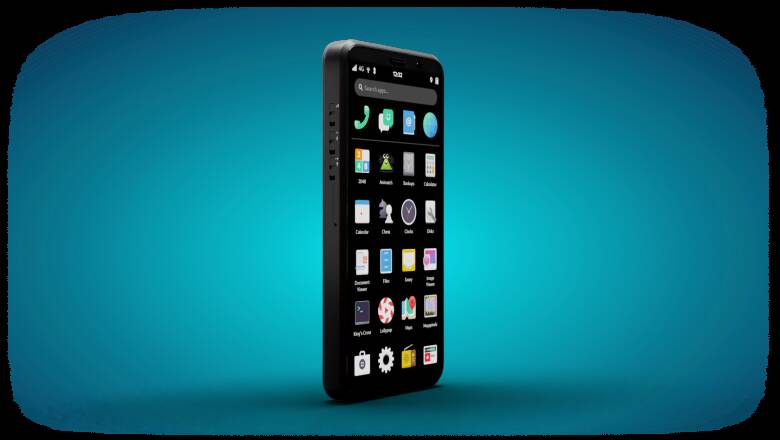
If you've never heard of GrapheneOS, think of it as a privacy and security-focused mobile operating system that includes Android compatibility and is developed as a non-profit, open-source project. GrapheneOS, which began in 2014 as CopperheadOS, achieves its heightened security by way of sandboxing, exploit mitigations, and the Android permission model. This alternative mobile OS mitigates entire classes of vulnerabilities to make exploiting the OS exponentially more difficult.