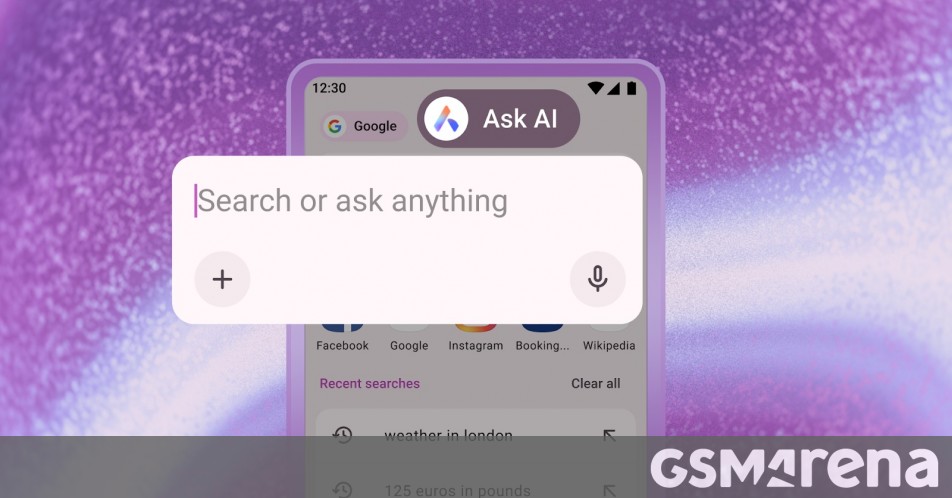
"Next is the ability to attach files in the new search bar for AI to translate, summarize, or explain. This includes support for PDFs and images. To attach a file, open the Ask AI interface, tap the "+" icon, and select a document or photo from your Android device. You can also click a picture with the device's camera and upload it directly."
"Opera is also making it possible for you to use your current browser tab as context for an AI prompt, so you can have the contents of a web page explained, summarized, or translated with AI. To do that, tap the three dots in the top-right corner of the browser, select the "Ask AI" option, and you'll see the web page being attached to chat in the search bar for use as context for your prompt."
Opera for Android introduces an Ask AI access point reachable from the browser search bar, allowing quick switches between traditional search and AI queries. The new Ask AI interface supports attaching files, including PDFs and images, and taking photos to have AI translate, summarize, or explain content. Users can attach the active browser tab as context for prompts to receive page explanations and follow-up answers. Privacy guardrails limit AI access to the active tab. Prompt and page context data are encrypted, sent to relevant AI models via Opera servers, and stored up to 30 days for conversation continuity.
Read at GSMArena.com
Unable to calculate read time
Collection
[
|
...
]