"Developers use Chrome DevTools almost every day, but the toolset is so extensive that many features remain unnoticed. In this short overview, we'll explore several DevTools capabilities that are genuinely useful in real-world work and often overlooked. Maybe you already use some of them daily - or maybe these are exactly the features that will fill long-standing gaps in your debugging workflow. Let's get started."
"One of the most common accessibility issues on the web is insufficient text contrast. Chrome no longer shows contrast in the Accessibility panel - instead, you'll find it inside the color picker: Styles → color → click the color square → Contrast ratio Google provides guidance on how to detect and fix contrast problems, along with recommended minimum values: 3.0 (minimum) and 4.5 (recommended)."
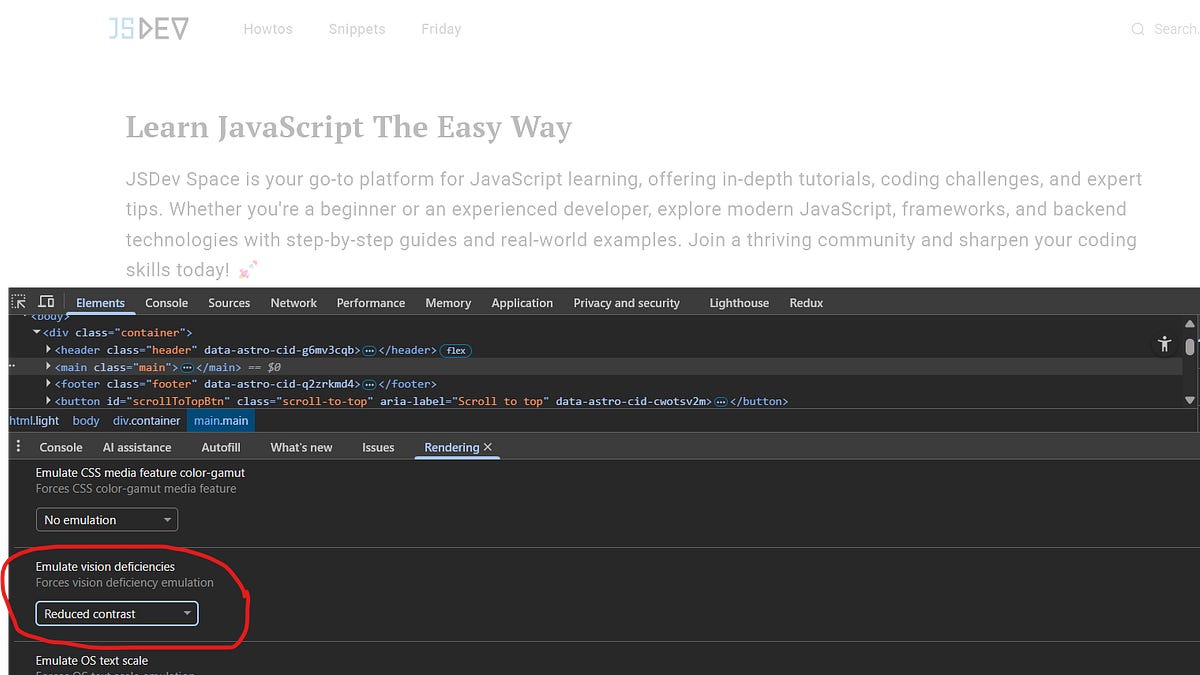
Chrome DevTools contains many underused features that help with real-world accessibility testing and debugging. DevTools can simulate various vision deficiencies via DevTools → Rendering → Emulate vision deficiencies to show how users with different visual conditions perceive the UI. The Command Menu (Ctrl+Shift+P) can reveal the Rendering panel if it is hidden. Inspecting an element exposes accessibility-related information beyond layout metrics like margin, width, or font-style. Contrast checking appears in the color picker (Styles → color → click the color square → Contrast ratio) with recommended minimums of 3.0 and 4.5. An experiment enables the Advanced Perceptual Contrast Algorithm (APCA). Built-in tools reduce reliance on external tooling.
Read at Substack
Unable to calculate read time
Collection
[
|
...
]