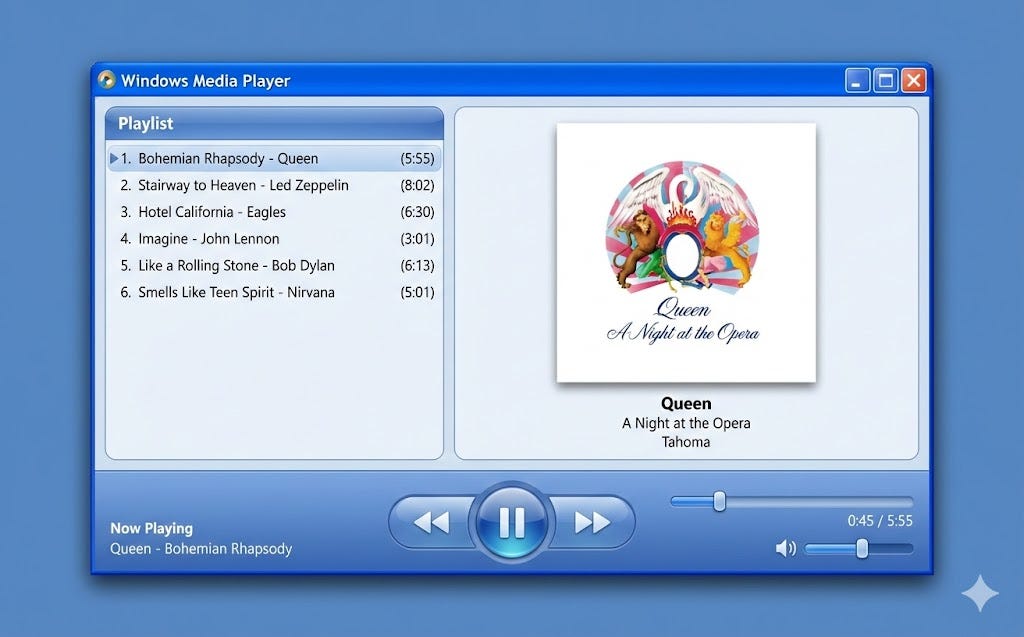
"Visual styles are more than aesthetics; they shape how products feel, how users interpret affordances, and how interfaces communicate intent. Studying the design language of past operating systems is one of the most effective ways to understand visual hierarchy, interaction patterns, and emotional tone in UI design. In this article, I explore how Nano Banana Pro can be used to recreate modern interfaces through the lens of iconic UI eras:"
"Quick note: To keep the exploration consistent, all examples follow the same underlying prompt structure; so the differences you see come from the style itself, not from changes in layout or complexity. 1. Task manager in Windows 95 style Time period: Mid 90s Early Windows interfaces were built for clarity, constraints, and efficiency. The visual language of Windows 95 (beveled edges, bitmap typography, and rigid layouts) creates a strong aesthetic that feels both nostalgic and surprisingly usable today."
Visual styles determine product feel, signal affordances, and communicate interface intent. Historical operating system design exemplifies how visual hierarchy, interaction patterns, and emotional tone shape user experience. Nano Banana Pro can recreate modern interfaces by adopting distinctive era-specific visual languages, including Windows 95 utilitarianism, classic Mac OS clarity, iOS 6 skeuomorphism, and PlayStation 2 minimalism. Consistent prompt structures isolate stylistic differences so variations stem from visual language rather than layout. A Windows 95–style task manager emphasizes beveled edges, bitmap typography, rigid layouts, and strict UI discipline, producing a nostalgic yet usable aesthetic suited to constrained, efficient interfaces with minimal visual excess.
Read at Medium
Unable to calculate read time
Collection
[
|
...
]