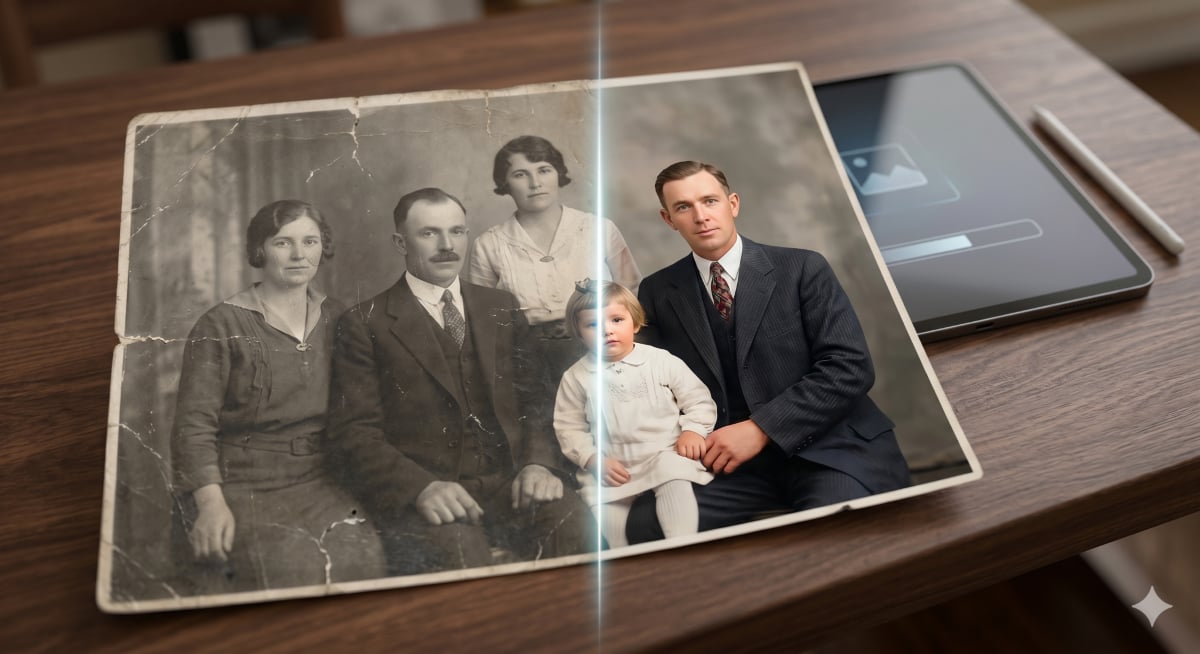
Old photographs preserve family memories but physical prints fade, yellow, scratch, tear, and suffer water damage over time. Professional restoration previously required hiring skilled designers and paying significant costs. AI tools such as ChatGPT, Google Gemini, and similar platforms can rejuvenate old photos by following plain written instructions called prompts. The key is using specific, precise prompts rather than vague requests, because vague instructions produce vague results. Six targeted prompts address common photo problems, and each can be used by anyone without technical background. The workflow involves opening an AI image tool, uploading a photo, pasting a prompt, sending the request, reviewing results, and downloading the restored image.
"Old photographs are time capsules. They hold the way your grandmother used to smile, the texture of a coat your grandfather always wore, a childhood birthday party you've nearly forgotten. But time is cruel to physical prints. Fading, yellowing, scratches, tears, water damage, slowly, the memories erode."
"For decades, professional photo restoration meant hiring a skilled graphic designer and spending significant money. That changed almost overnight. Today, AI tools like ChatGPT, Google Gemini, and similar platforms can restore, colorize, sharpen, and rejuvenate old photographs using nothing more than plain written instructions, which we call prompts."
"The secret is knowing how to write those prompts. Vague instructions give vague results. The 6 prompts in this guide have been crafted with precision, pulling together the best techniques from image restoration, professional photography, and AI communication. Each one targets a specific problem old photos tend to have, and each one can be used by anyone, with no technical background whatsoever."
"Open ChatGPT, Google Gemini, or any capable AI image tool on your phone or computer. Upload your old photo by clicking the attachment or image icon in the chat interface. Copy one of the prompts below and paste it into the message box. Hit send and let the AI work. Review the result, and if needed, try a second prompt to refine it further. Download the restored image directly from the AI's response."
Read at TechRepublic
Unable to calculate read time
Collection
[
|
...
]