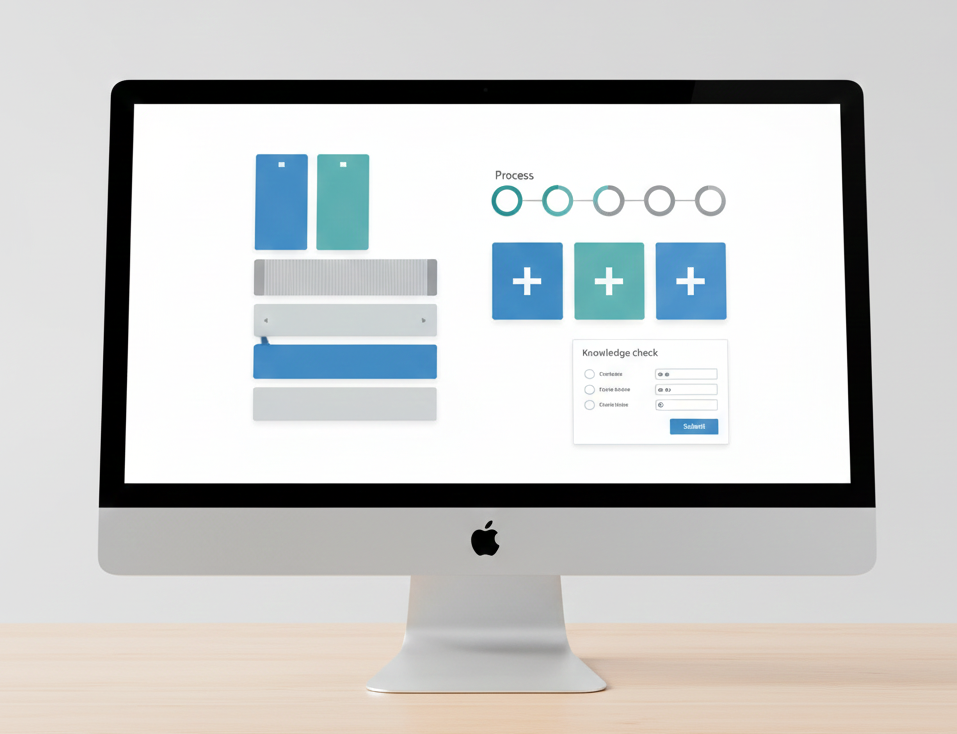
"Widgets play a key role in accelerating eLearning development while maintaining consistency and usability. In the new Adobe Captivate, widgets are designed to be responsive, easy to configure, and adaptable across learning contexts-without relying on complex timelines or advanced actions. This post explores five must-use widgets in the new Adobe Captivate and how they support effective learning design. Why Widgets Matter in Modern eLearning Widgets allow instructional designers to focus on learning design rather than technical setup."
"1. Tabs Widget The Tabs widget is ideal for organizing related content into clearly separated sections. Best used for:Design tip:Limit the number of tabs and use concise headings so learners can quickly understand what each section contains. 2. Accordion Widget The Accordion widget allows learners to expand and collapse content sections, making it perfect for layered information. Works well for:Design tip:Use descriptive titles and keep each accordion panel focused on a single idea to avoid cognitive overload."
Widgets accelerate eLearning development by providing responsive, easy-to-configure, and adaptable components that preserve consistency and usability. Widgets let instructional designers concentrate on learning design rather than technical setup by offering structured, ready-to-use interactions. The new Adobe Captivate centers widgets within a streamlined workflow and includes Tabs, Accordion, Process, Click-to-Reveal, and Knowledge Check widgets. Tabs organize related content into separated sections; Accordions enable expandable layered information; Process guides learners through sequenced steps; Click-to-Reveal supports learner-paced exploration; Knowledge Check reinforces learning without formal assessment. Design tips emphasize concise headings, focused panels, brief process introductions, short revealed content, and immediate placement of checks.
Read at eLearning
Unable to calculate read time
Collection
[
|
...
]