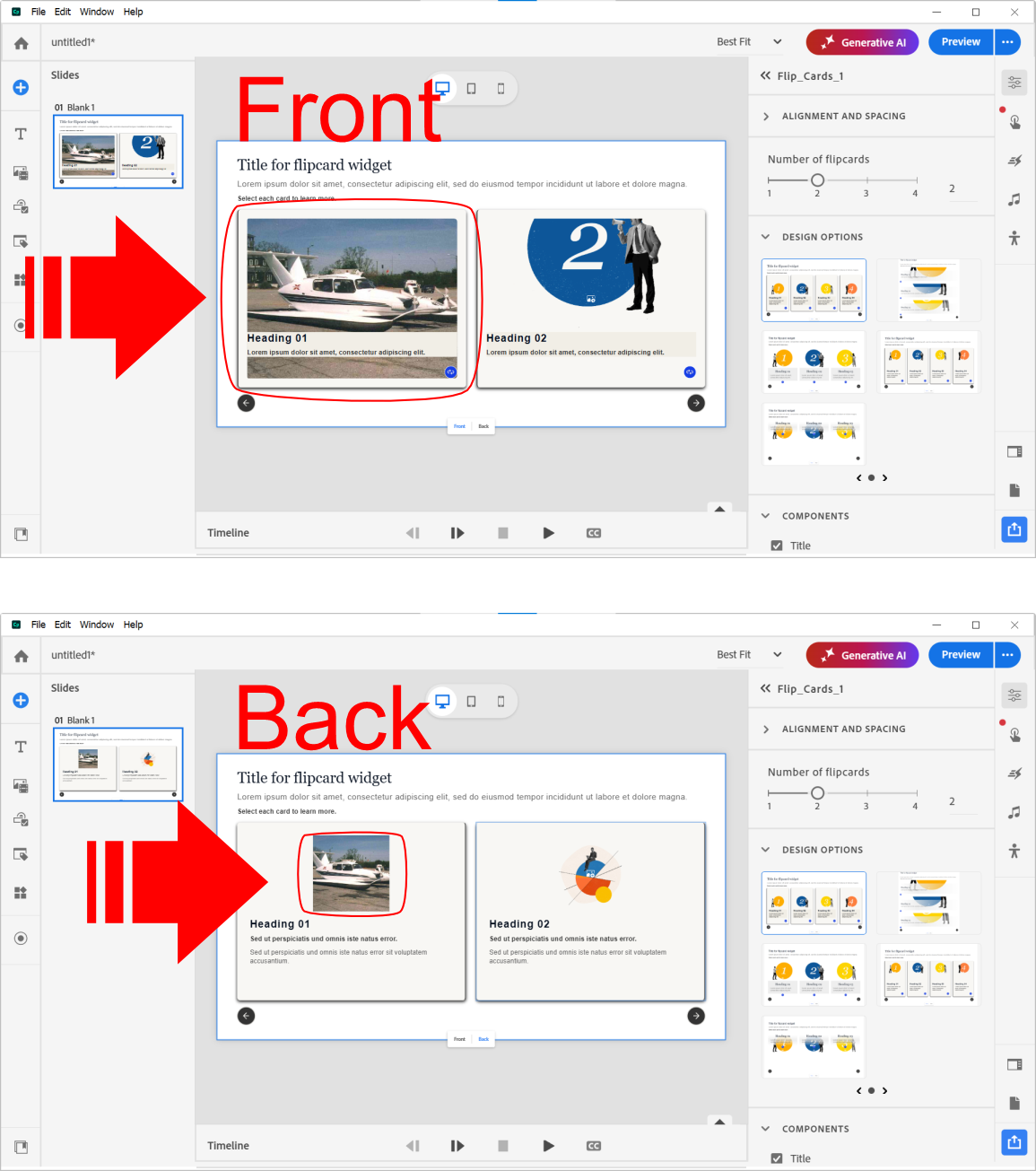
"Greetings. Can someone please tell me how to get the image on the back of the flip card to fill the card like the image on the front of the card? See attachment with identical image on front and back. I have read the help documentation but did not fine the information needed. Basically, I need the images on the front and back to be the same dimensions. Thank you."
"Greetings. Can someone please tell me how to get the image on the back of the flip card to fill the card like the image on the front of the card? See attachment with identical image on front and back. I have read the help documentation but did not fine the information needed. Basically, I need the images on the front and back to be the same dimensions. Thank you. Greetings. Can someone please tell me how to get the image on the back of the flip card to fill the card like the image on the front of the card? See attachment with identical image on front and back. I have read the help documentation but did not fine the information needed. Basically, I need the images on the front and back to be the same dimensions. Thank you."
Set identical container dimensions and image sizing for both front and back of the flip card. Use CSS properties like width, height, overflow:hidden, and position to ensure images fill the card. For img elements use width:100%; height:100%; object-fit:cover; object-position:center to maintain aspect ratio and crop evenly. For background images use background-size:cover; background-position:center. Ensure both sides share the same padding, border, and box-sizing. Keep backface-visibility:hidden and transform-style:preserve-3d for proper flipping while images remain aligned. Verify source images have sufficient resolution and matching aspect ratio to avoid gaps.
Read at eLearning
Unable to calculate read time
Collection
[
|
...
]